
Skip to content
Cyrus for Minecraft

Minecraft build generator

Describe a room, hall, arena or spawn hub, or paste a screenshot or sketch. Cyrus designs it block by block, shows you a preview and gives you the build as a schematic.

The generator is not open to everyone yet. The example builds below are free to download.

Gallery

Builds made with the generator

Every one of these was generated by Cyrus and loads as it is. Click a theme page for tips and more.

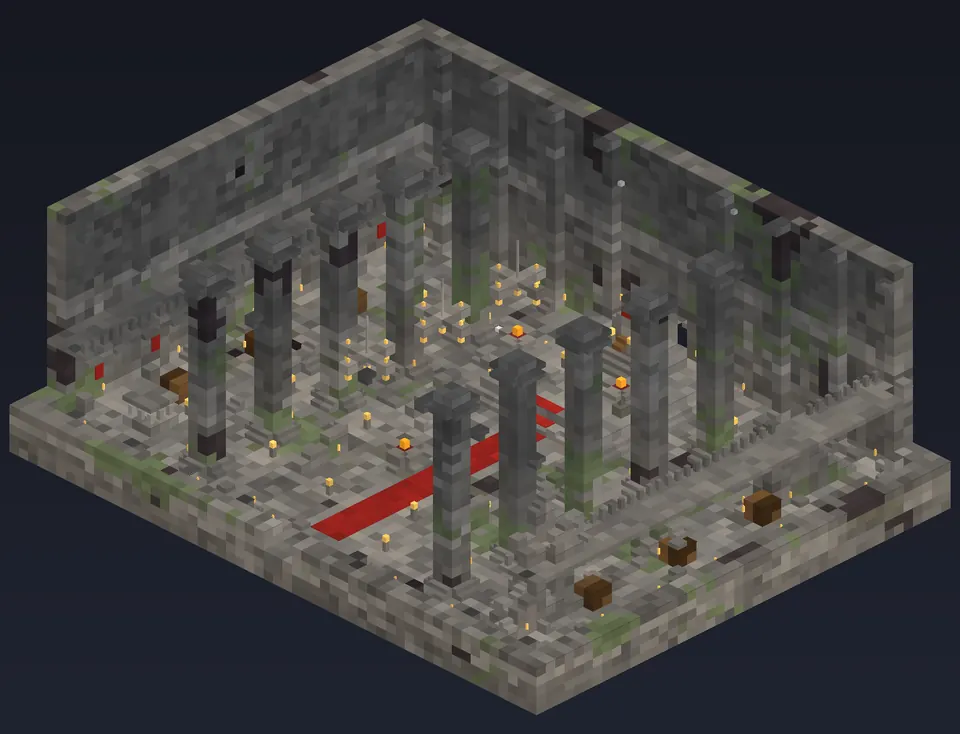
Castle great hall: isometric cutaway preview of the Minecraft build

Castle great hall

A 56 x 26 x 44 keep hall: ornate pillar rows, side balconies, a raised throne dais, red carpet and three chandeliers.

  • 56 x 26 x 44 blocks (W x H x L)
  • 21,246 blocks placed
  • 56 block types

Main blocks: stone bricks, cracked stone bricks, andesite, polished andesite, mossy stone bricks

Larger than 48 blocks: load the .nbt with /place template, not a structure block.
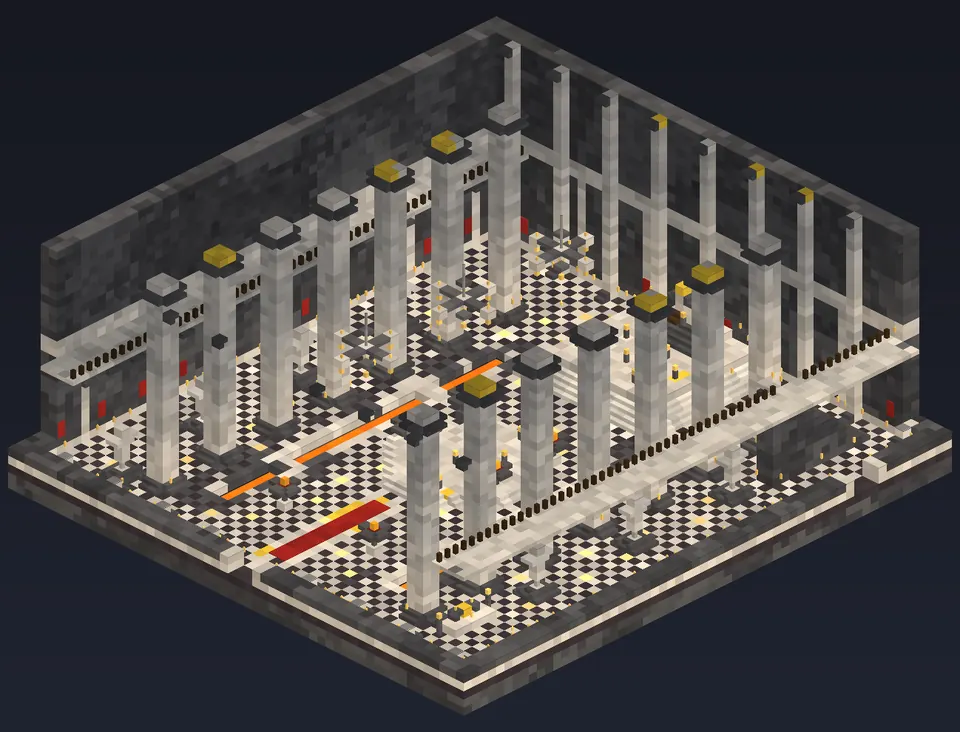
Royal throne hall: isometric cutaway preview of the Minecraft build

Royal throne hall

Polished deepslate walls, quartz pillars with gold caps, a checker floor and a red carpet up to the throne.

  • 56 x 30 x 60 blocks (W x H x L)
  • 29,306 blocks placed
  • 56 block types

Main blocks: deepslate tiles, polished deepslate, polished blackstone, quartz pillar, smooth quartz

Larger than 48 blocks: load the .nbt with /place template, not a structure block.
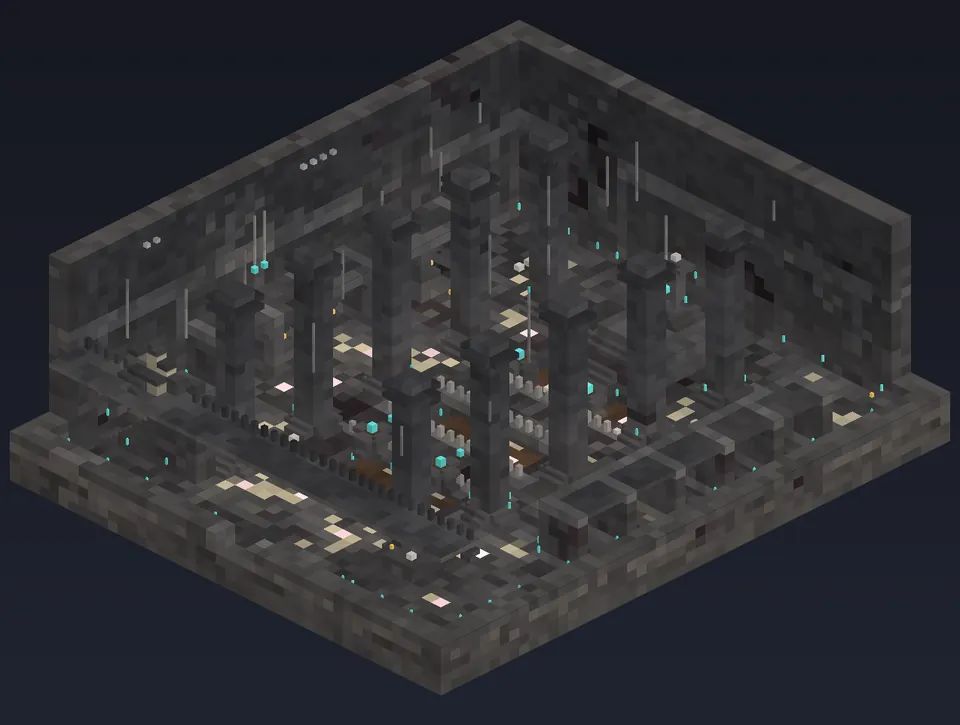
Crypt of the fallen kings: isometric cutaway preview of the Minecraft build

Crypt of the fallen kings

A deepslate catacomb with sarcophagi in alcoves, soul fire, candles, bones and cobwebs.

  • 44 x 24 x 52 blocks (W x H x L)
  • 18,361 blocks placed
  • 64 block types

Main blocks: deepslate bricks, cracked deepslate bricks, deepslate tiles, polished deepslate, cobbled deepslate

Larger than 48 blocks: load the .nbt with /place template, not a structure block.
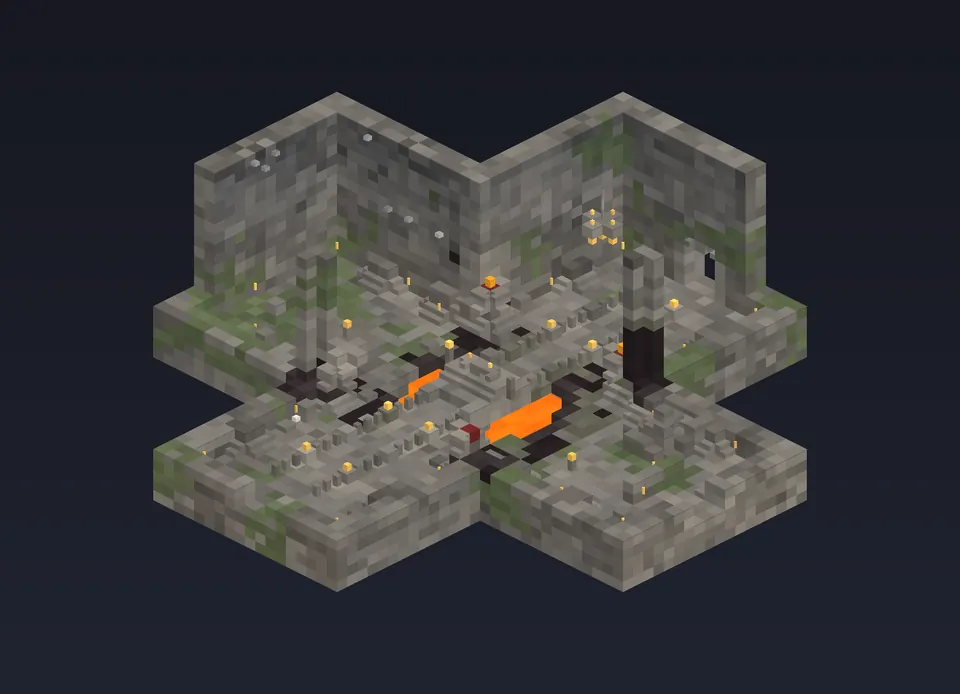
Cross vault dungeon room: isometric cutaway preview of the Minecraft build

Cross vault dungeon room

A plain stone dungeon room in a cross shape: four arms, a central vault and torch light.

  • 46 x 20 x 46 blocks (W x H x L)
  • 11,090 blocks placed
  • 46 block types

Main blocks: cobblestone, stone bricks, oak planks, polished andesite, stone

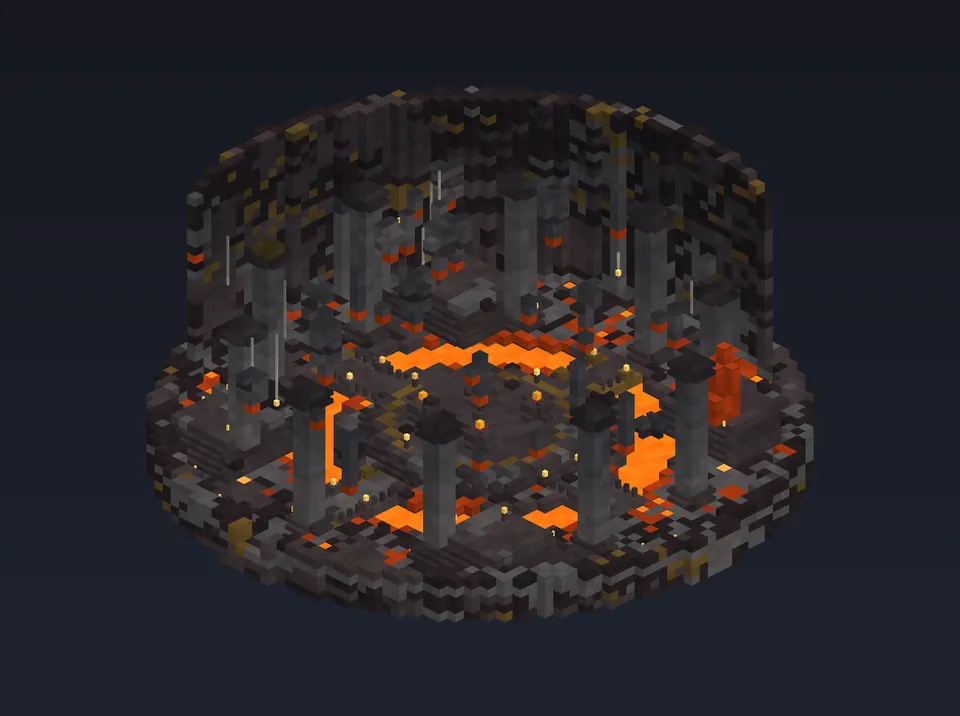
Caldera boss arena: isometric cutaway preview of the Minecraft build

Caldera boss arena

A 58 x 28 x 58 round boss arena: a lava moat, two bridges, a raised central platform and a pillar ring.

  • 58 x 28 x 58 blocks (W x H x L)
  • 30,329 blocks placed
  • 43 block types

Main blocks: blackstone, basalt, polished blackstone bricks, cracked polished blackstone bricks, gilded blackstone

Larger than 48 blocks: load the .nbt with /place template, not a structure block.
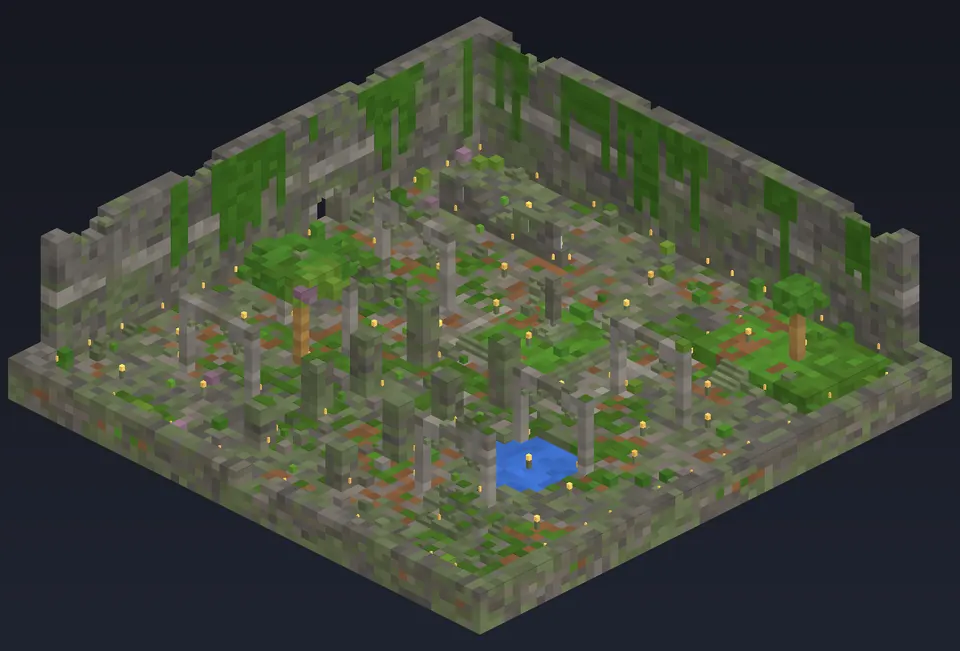
Sunken overgrown temple: isometric cutaway preview of the Minecraft build

Sunken overgrown temple

A roofless ruined temple: broken mossy walls, tuff pillars, vines, leaves and water.

  • 58 x 20 x 58 blocks (W x H x L)
  • 19,686 blocks placed
  • 54 block types

Main blocks: mossy stone bricks, cracked stone bricks, stone bricks, mossy cobblestone, vine

Larger than 48 blocks: load the .nbt with /place template, not a structure block.
All build ideas

What it builds well

  • Enclosed rooms and halls up to 64 x 32 x 64 blocks: castle halls, crypts, taverns, throne rooms.
  • Arenas and spawn hubs with symmetric layouts, platforms, bridges and moats.
  • Interiors with real block shapes: stairs, slabs, walls, fences, lanterns, chains, carpets and banners.
  • Lit builds: Cyrus checks the light level on the walkable floor and adds light where it is too dark.

What it cannot build (yet)

  • Whole cities, terrain, mountains or organic sculptures.
  • Pixel art, statues of specific characters or logos.
  • Pitched exterior roofs and full house exteriors: it builds the interior shell.
  • Redstone machines and command-block contraptions (command blocks are never placed).

Pictures as input

Paste or drop up to three images: a screenshot, concept art or a sketch. Cyrus describes what it sees, then designs a build in that style. Images are checked, stripped of metadata and never stored. Image input needs a signed-in account.

Step by step

Generate a Minecraft build and paste it with WorldEdit

  1. Describe the build or paste a reference image.
  2. Wait for the preview: Cyrus designs the build and shows it as it grows.
  3. Download the .schem file and put it in plugins/WorldEdit/schematics (server) or config/worldedit/schematics (client mod).
  4. In game, run //schem load <name> and then //paste where you stand.
FAQ

Questions

Which file formats can I download?

A WorldEdit schematic (.schem, Sponge schematic version 3, for WorldEdit 7.3+ and FAWE) and a vanilla structure file (.nbt, for structure blocks and /place template). Both are made from the same build, block for block.

Is it free?

The example builds on these pages are free to download, no account needed. Generating your own build has a small free allowance (your first build with a free account is free too); after that each generation uses Cyrus tokens, and the generator shows the price before you start. Downloading a build you generated needs a free account.

How big can a build be?

Up to 64 blocks wide, 32 high and 64 long. For anything bigger, generate it as several rooms. A structure block only loads 48 x 48 x 48, so for larger builds use the .schem with WorldEdit or /place template.

Will the build work on my version?

Builds are saved with Minecraft 1.21.1 block data, so every 1.21.x server and WorldEdit load them (newer versions upgrade the data automatically).

Keep going

Related